LTE Modems in Infix
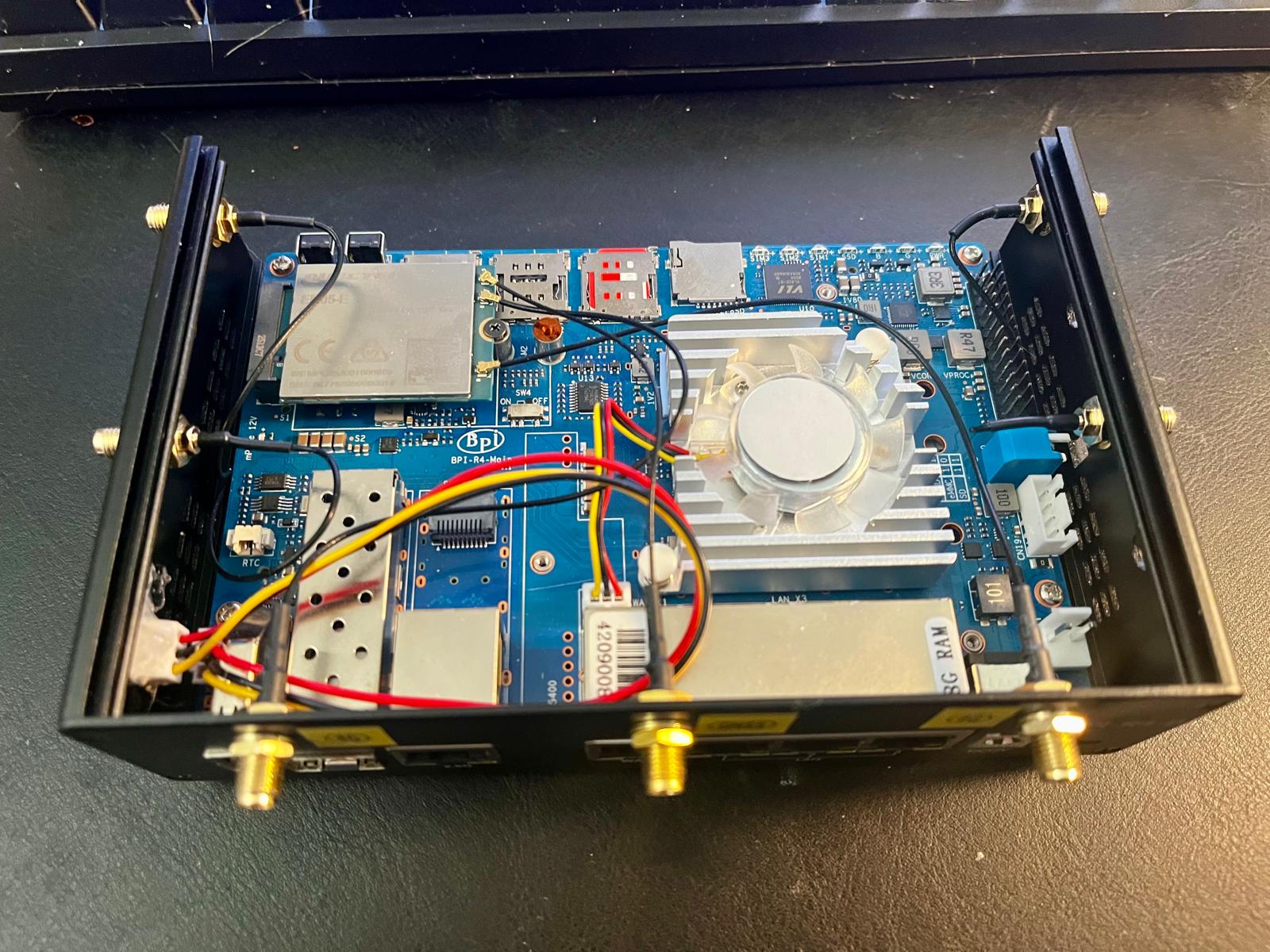
Two boards on the bench this month, two LTE modems. The BPI-R4 got a Quectel EM05 in its M.2 Key-B slot, and the BPI-R2 Pro a Quectel EP06-E in its Mini PCIe slot. The board posts are about getting the hardware going. This one is about what happens next: getting a router online over LTE with Infix.
What Infix supports
Infix supports cellular modems that talk QMI or MBIM over USB, which is most 4G/LTE modems out there. Modems that only speak AT commands are supported too, then the data connection runs as PPP over the AT port, but so far that is only tested with the virtual modem in our test system.
The form factor does not matter much. Most USB dongles, Mini PCIe cards, and M.2 Key-B modules use USB on the connector, so to Infix they are all USB modems. The exception is PCIe-only modems, e.g. some 5G modules, which are not supported. Our two examples even use different protocols: the EM05 talks MBIM and the EP06-E talks QMI. You would never know from the configuration, it is the same on both.
Modem support is merged, but not yet included in the default builds, so
for now you build Infix with the modem snippet, see Building Infix
from Source:
$ make aarch64_defconfig apply-modem
$ make
Three pieces
A cellular connection in Infix is made of three parts:
modem0: the modem itself, a hardware componentsim0: the SIM card slot, also a hardware componentwwan0: the network interface, with the APN and other settings for the data connection
show modem gives the overview, here from the R2 Pro:
admin@bpi:/> show modem
──────────────────────────────────────────────────────────────
Cellular Modems
NAME    MANUFACTURER    MODEL    STATE      NETWORK  SIGNAL
modem0  Quectel         EP06-E   connected  lte      excellent
──────────────────────────────────────────────────────────────
SIM Cards
NAME  SLOT  STATE     OPERATOR
sim0  1     unlocked
Pin the modem to its port
Modems are a restless bunch. A firmware crash or reset, and the modem
drops off the USB bus and comes back as a new device. Left to itself,
the system then counts on: modem1, modem2, modem3, and the
configuration for modem0 points at nothing.
The fix is to pin modem0 to the USB port the modem sits on. A detected
modem is listed in show hardware, even before it is configured, and
the URI line is the port, here on the R4:
admin@bpi:/> show hardware modem0
COMPONENT: modem0
  Name                : modem0
  Class               : modem
  Model               : LTE Module
  Manufacturer        : Quectel Incorporated
  USB ID              : 2c7c:0125
  URI                 : usb:///sys/bus/usb/devices/1-1.1
  Oper State          : enabled
Copy it into the component and unlock both the modem and the SIM slot.
Without admin-state unlocked the cellular side stays off:
admin@bpi:/> configure
admin@bpi:/config/> edit hardware component modem0
admin@bpi:/config/hardware/component/modem0/> set uri usb:///sys/bus/usb/devices/1-1.1
admin@bpi:/config/hardware/component/modem0/> set state admin-state unlocked
admin@bpi:/config/hardware/component/modem0/> set modem probe-timeout 30
admin@bpi:/config/hardware/component/modem0/> end
admin@bpi:/config/hardware/> edit component sim0
admin@bpi:/config/hardware/component/sim0/> set state admin-state unlocked
admin@bpi:/config/hardware/component/sim0/> leave
Now the modem on that port is always modem0, and its interface always
wwan0, however many times it resets and in whatever order the hardware
shows up at boot. It also works as a lock: once every modem component
is pinned, a modem plugged into some other port is shown, but left alone
until you configure it too.
The probe-timeout is how long the system waits at boot for the modem
to show up before it applies the rest of the configuration. Setting it
creates the modem container, and that is what turns the wait on, 30
seconds is the default. Both our modems are up in a few seconds, but
some take up to a minute on a cold boot, for those, raise it to 90. The
same modem container is where you limit the modem to certain bands or
radio access technologies, if your operator or antenna calls for it.
Getting online
The wwan0 interface is always yours to add. It needs the modem, the
SIM, and the APN from your operator. On the R4, with a very affordable
mobile broadband SIM from Fello, on the Telia network:
admin@bpi:/> configure
admin@bpi:/config/> edit interface wwan0
admin@bpi:/config/interface/wwan0/> set wwan modem modem0
admin@bpi:/config/interface/wwan0/> set wwan sim sim0
admin@bpi:/config/interface/wwan0/> set wwan bearer apn online.telia.se
admin@bpi:/config/interface/wwan0/> set ipv4 forwarding
admin@bpi:/config/interface/wwan0/> set ipv6 forwarding
admin@bpi:/config/interface/wwan0/> leave
admin@bpi:/> copy running-config startup-config
Forwarding is what lets the LAN reach the Internet through wwan0. The
firewall needs nothing at all: an interface that is not in a zone lands
in the default zone, wan in the factory configuration of both boards,
where LAN traffic is already masqueraded.
If the SIM has a PIN, it goes on the SIM:
admin@bpi:/config/> set hardware component sim0 sim pin 1234
The R2 Pro runs an IoT SIM from Onomondo. It connects through partner networks wherever it is, so it is roaming also here in Sweden. Data roaming is off by default, so that one also needs:
admin@bpi:/config/> set interface wwan0 wwan bearer roaming true
Check with your operator before you turn on roaming on a regular phone subscription, it can get expensive.
Is it up?
show modem modem0 has all the details, here from the R4. The serial
number, IMSI, and ICCID are masked:
admin@bpi:/> show modem modem0
MODEM: modem0
──────────────────────────────────────────────────────────────
Hardware Information
  Manufacturer        : Quectel Incorporated
  Model               : LTE Module
  Hardware Revision   : QUECTEL Mobile Broadband Modul
  Firmware Version    : EM05EFAR06A06M4G
  Serial Number       : 8677520509xxxxx
  USB ID              : 2c7c:0125
  URI                 : usb:///sys/bus/usb/devices/1-1.1
  IMSI                : 24001754xxxxxxx
  ICCID               : 8946010017xxxxxxxxxx
  Selected Carrier    : default
──────────────────────────────────────────────────────────────
Status
  State               : connected
  Power State         : on
  Locks               : fixed-dialing
  Signal              : Quality: 35% bad  RSSI: -69 dBm  RSRP: -98 dBm  RSRQ: -9.0 dB
──────────────────────────────────────────────────────────────
Cellular
  Registration        : home
  Service State       : attached
  Operator            : Fello
  Operator ID         : 24001
  Network Type        : lte
──────────────────────────────────────────────────────────────
SIM Card
  Name                : sim0
  Slot                : 1
  Lock State          : unlocked
  Operator            : Fello
The signal on the R4 is rated bad, it works fine anyway. If something
is wrong, this is also where you find out why: a failed state is
followed by a reason, e.g. sim-missing, and the SIM section says
not-inserted or pin-required to match.
show interface wwan0 shows the address from the operator, here on the
R2 Pro. The default route via the modem is installed on its own:
admin@bpi:/> show interface wwan0
name               : wwan0
type               : modem
index              : 9
mtu                : 1500
operational status : up
ip forwarding      : enabled
ipv4 addresses     : 100.86.5.73/30 (other)
On both boards, the modem is registered on the network within 15 seconds of the system starting its modem services.
Backup or main line
The default route via wwan0 has a route preference of 200, higher than
both wired Ethernet and WiFi. So with a cable in the WAN port, LTE
stays in the background and takes over only when the wired link goes
away. To make LTE the main line instead, lower the preference:
admin@bpi:/config/> set interface wwan0 wwan bearer route-preference 1
A few more tricks
modem sms modem0 +46701234567 "Hello"sends an SMS, no data connection needed. Unless the SIM has fixed dialing (FDN) enabled, like both of ours, seeLocksinshow modem modem0set hardware component modem0 state admin-state lockedtakes the modem offline without losing its configuration- Several
wwanNinterfaces can share one modem, each with its own APN, much like several WiFi networks on one radio
The modem documentation has the rest: authentication, GPS on modems that have it, and troubleshooting. It also covers the USB 3.0 modems that need a little help to work in a Mini PCIe slot, like the EP06-E in the R2 Pro.