Banana Pi BPI-R2 Pro, with LTE and WiFi 6E
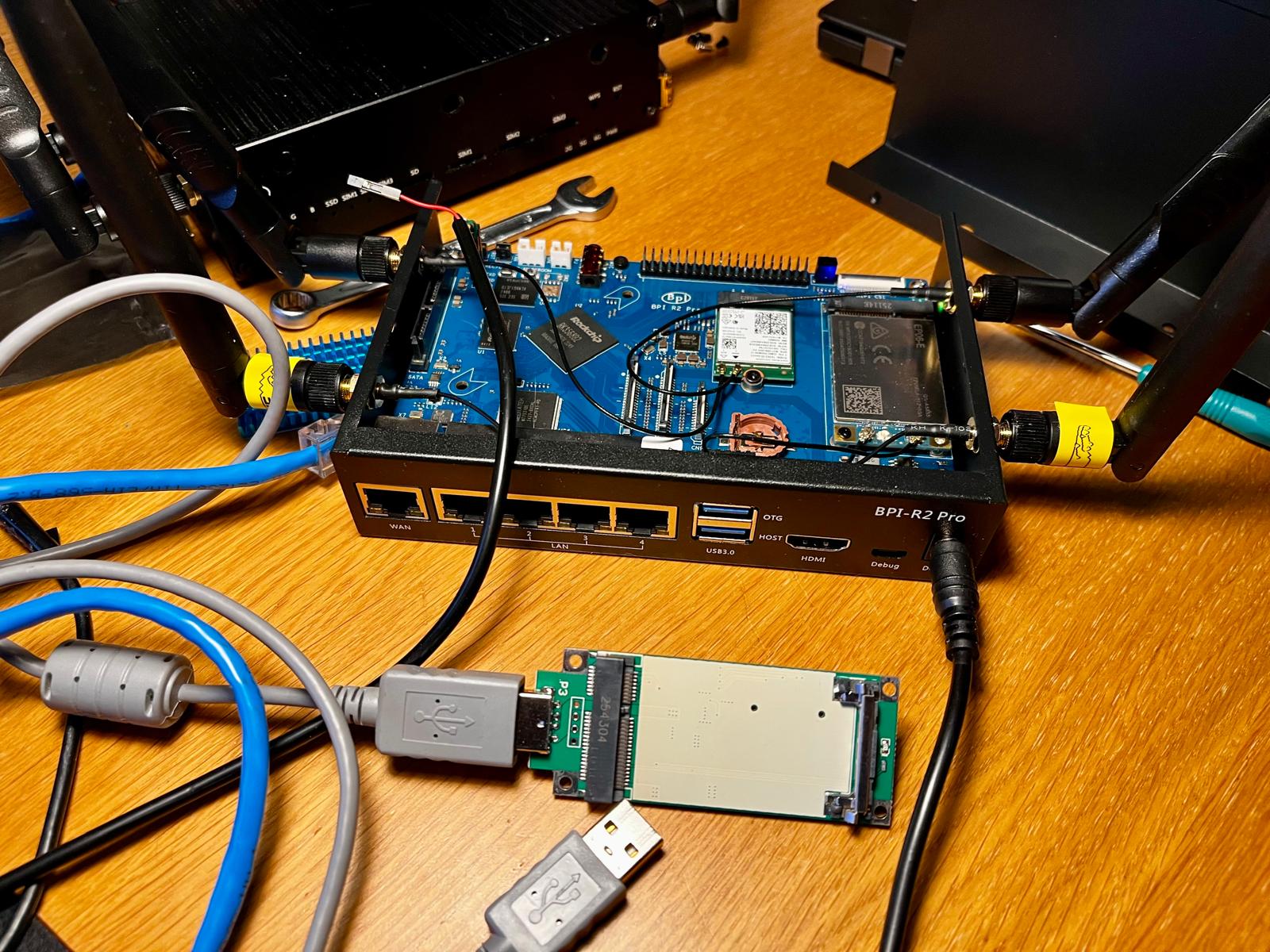
My mom has poor mobile coverage in her apartment. Her phone can do WiFi calling though, so what she really needs is not a better phone, but a good WiFi. This little board is going to be her signal amplifier, and as a bonus, the Internet gets a whole lot better when us kids come to visit ;-)
The Banana Pi BPI-R2 Pro is a small router built around the Rockchip RK3568, four Cortex-A55 cores, with 2 GB RAM, 16 GB eMMC, four switched LAN ports, one WAN port, and two USB 3.0 ports. It has no WiFi of its own, instead it has a Mini PCIe slot and an M.2 Key-E slot. We put a Quectel EP06-E LTE modem in the Mini PCIe slot and an Intel AX210 WiFi 6E card in the M.2 slot, which makes it a router with both WiFi and LTE.
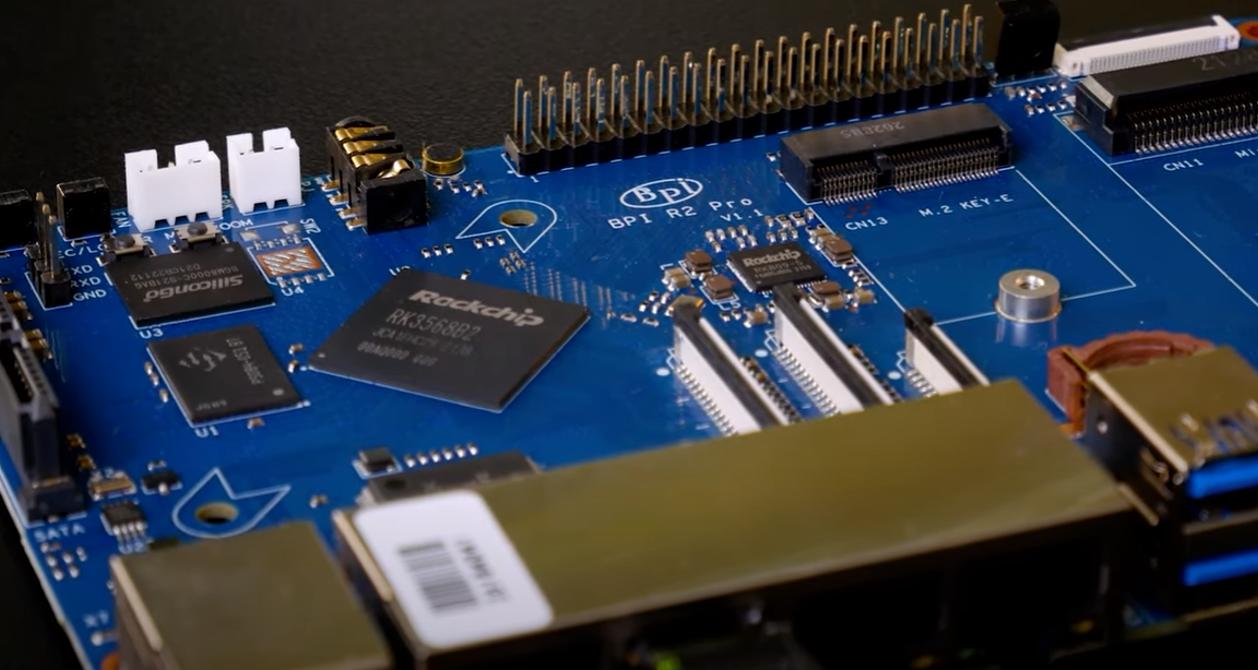 Figure 1: The BPI-R2 Pro v1.1 still has a lot to offer at a competitive price.
From SD card to eMMC
The same image boots from both the SD card and the eMMC, so there is no need for U-Boot tricks or USB sticks to install it. Boot from the SD card, connect a PC to one of the LAN ports, and stream the image straight to the eMMC over SSH:
$ ssh admin@192.168.0.1 sudo dd of=/dev/mmcblk1 bs=4M conv=fsync < infix-bpi-r2-pro-sdcard.img
Pull the SD card, power cycle, done. The board README has the rest: console, default login, and the factory configuration.
The modem that wasn’t there
The EP06-E went into the Mini PCIe slot and … nothing. Not in the logs,
not even in lsusb. It turns out that Mini PCIe has no USB 3.0 pins, so
USB 3.0 modems put their SuperSpeed lines on the pins meant for PCIe. The
R2 Pro wires those pins to a PCIe controller, and then the modem never
connects at all, not even at USB 2.0 speed.
The fix is to talk the modem out of USB 3.0. That is what the green Mini
PCIe to USB adapter in the photo at the top is for. Put the modem in it,
plug it into a USB port, open its AT port, usually ttyUSB2, and run:
1
2
AT+QUSBCFG="SS",0
AT+CFUN=1,1
The modem remembers the setting, so this is a one time job. Back in the slot it shows up like any other modem:
1
Bus 002 Device 002: ID 2c7c:0306 Quectel EP06-E
Sierra Wireless modems, e.g. the MC7455, need the same treatment with their own commands, both are in the modem documentation.
WiFi, after a look around
The AX210 is a good little card. It works well as a WiFi client, and as a single access point on 2.4, 5, or 6 GHz. It has one quirk though, called LAR, Location Aware Regulatory.
Which channels you may use, and at what power, differs from country to
country. Normally you tell Linux which country you are in and it applies
the rules. Intel cards instead let the firmware decide, from the country
codes it hears nearby access points announce. Setting the country in Linux
does not change its mind. Until the card has heard any, it stays in the
“world” domain, 00, where 5 and 6 GHz are passive only: listen, but do
not transmit first.
As a client, that is fine, the card hears an access point and follows it. As an access point it is a dead end, the card is supposed to be the one that transmits first, and the 5 and 6 GHz channels are simply not on offer.
Infix knows about this and lets the card have a quick look around before starting the access point. One scan is enough for the firmware to hear the neighbours and open up the channels, so there is nothing extra to configure, see the WiFi documentation.
Does it work?
It does. On my desk, behind two layers of NAT, my phone switched over to WiFi calling like it had never done anything else. Next stop, mom’s place.
Availability
The BPI-R2 Pro is included in the Infix v26.10 release, along with
support for the AX210. Modem support is merged too, but not yet
included in the default builds, so for now you need to build Infix with
the modem snippet, see the modem documentation.